

Profile maintenance
Update your contact information, manage your login credentials, and adjust your security settings in Think Online or the Think Bank mobile app anytime.
What you can update
- Address, email, and phone number
- Username and password
- Two‑step verification and security settings
- Travel notices for your debit card
Using the Think Bank mobile app
Open settings
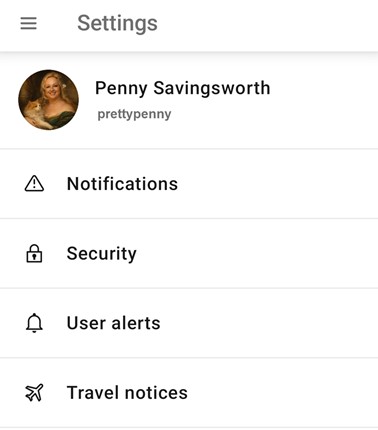
Tap your profile picture in the bottom menu, then select “Settings.”
Update your profile
Select your profile name to update your address, email, or phone number.
Manage security settings
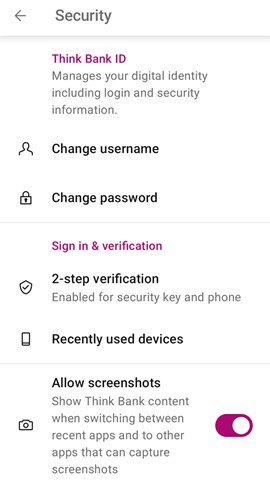
Select “Security” to update your login credentials or change your 2‑step verification settings.
Using Think Online (desktop)
Open personal settings
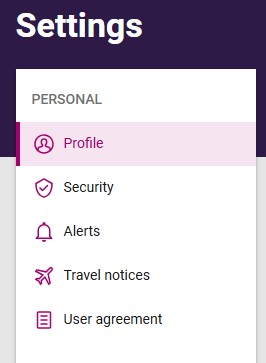
Click your profile picture in the lower left corner, then select “Personal settings.”
Update your profile
Select “Profile” to update your address, email, or phone number.Manage security settings
Select “Security” to change your username, password, or manage your sign‑in and verification settings.
Add a travel notice
Select “Travel notices” to add a notification to your debit card before traveling.
Need help?
If you need help updating your profile or security settings, contact us at 1-800-288-3425 or send a secure message through Think Online.